
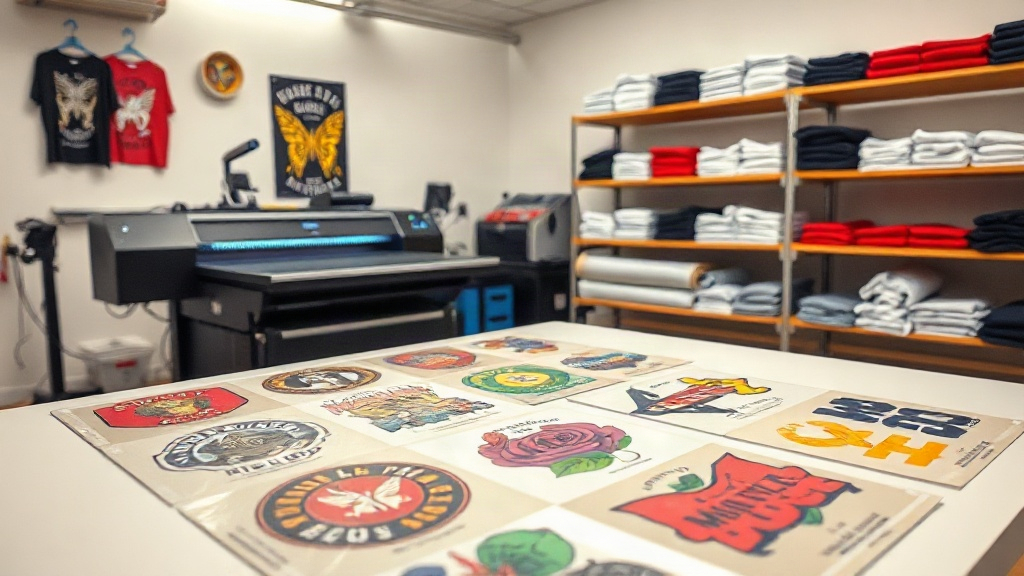
If you're in the custom apparel business, you've likely heard about DTF printing. But have you explored the power of a DTF gangsheet? This innovative approach to transfer printing is changing how small shops and large operations alike handle multiple designs efficiently. In this guide, we'll dive deep into what a DTF gangsheet is, why it matters, and how you can leverage it to save time and money while delivering stunning results.
What Is a DTF Gangsheet?
A DTF gangsheet is essentially a large sheet of DTF transfer film that contains multiple designs printed together in one go. Instead of printing each design separately, you arrange them on a single sheet, maximizing space and reducing waste. This method is particularly useful when you have several small to medium-sized graphics that need to be transferred onto different garments. The term 'gang' refers to grouping multiple items together, and that's exactly what you're doing: ganging up your designs to streamline production.
How DTF Printing Works
Before we go further, let's briefly recap DTF printing. Direct-to-film (DTF) printing involves printing your design onto a special PET film using specialized inks. A powder adhesive is applied to the wet ink, and then the film is cured. When you're ready to apply the design to a garment, you place the film on the fabric and use a heat press. The adhesive melts, bonding the ink to the fabric. The result is a vibrant, durable print that can stretch with the fabric without cracking.
The beauty of DTF is that it works on almost any fabric, including cotton, polyester, blends, and even leather. It doesn't require pre-treatment like DTG (direct-to-garment) printing, and it's often more cost-effective for small batches.
Why Use a DTF Gangsheet?
Now, why would you choose a DTF gangsheet over individual transfers? There are several compelling reasons:
- Cost Efficiency: By printing multiple designs on one sheet, you maximize the use of film and ink, reducing your cost per transfer. This is especially beneficial for small designs that would otherwise leave a lot of unused space.
- Time Savings: Instead of loading and unloading the printer for each design, you print everything at once. This speeds up production, allowing you to fulfill orders faster.
- Consistency: When you print multiple designs together, they go through the same curing and powdering process, ensuring consistent quality across the board.
- Versatility: You can mix and match different designs, sizes, and even colors on a single gangsheet. This is perfect for creating variety packs or handling multiple orders simultaneously.
- Less Waste: By optimizing the layout, you minimize wasted film and ink, which is both environmentally and economically friendly.
How to Create a DTF Gangsheet
Creating a gangsheet requires some planning and the right tools. Here's a step-by-step guide to help you get started:
1. Choose Your Designs
Select the graphics you want to include. They can be logos, illustrations, text, or any combination. Make sure they are high-resolution (300 DPI is ideal) and in PNG format with transparent backgrounds for best results.
2. Arrange Them on a Canvas
Using graphic design software like Photoshop, Illustrator, or dedicated gangsheet builders (many DTF suppliers offer online tools), create a canvas that matches the size of your film. Common film widths are 13 inches, 17 inches, and 24 inches, but you can also find wider rolls. Arrange your designs on the canvas, leaving a small gap between them (about 0.25 inches) to avoid overlapping during cutting. Rotate and resize designs as needed to fill the space efficiently.
3. Add Registration Marks (Optional)
Some printers and cutters use registration marks to align cuts accurately. If you plan to cut out individual transfers, include these marks. However, for DTF, you typically cut around each design manually or with a cutter, so marks may not be necessary.
4. Print and Cure
Load the film into your DTF printer and print your gangsheet. Then apply adhesive powder, shake off excess, and cure under heat. Follow your printer and powder manufacturer's recommendations for settings.
5. Store Properly
Store your gangsheet in a cool, dry place away from direct sunlight. Use a sealed bag or container to prevent dust and moisture from affecting the adhesive.
Tips for Maximizing Your DTF Gangsheets
To get the most out of your gangsheets, consider these expert tips:
- Plan Ahead: Group designs by size and color to optimize layout. If you have many small designs, place them in between larger ones to fill gaps.
- Use Nesting Software: Some programs automatically nest designs to minimize waste. This can be a huge time-saver.
- Test Your Layout: Before printing a full sheet, do a test print on plain paper to check the arrangement and ensure no design is cut off.
- Consider Film Width: If you frequently print gangsheets, investing in a wider film roll can accommodate more designs per sheet, reducing your cost per transfer.
- Keep a Library: Save your gangsheet layouts for future use. If you have recurring orders, you can simply reprint the same sheet.
Common Mistakes to Avoid with DTF Gangsheets
Even seasoned printers can make mistakes. Here are some pitfalls to watch out for:
- Overcrowding: Cramming too many designs can lead to cutting errors and wasted film. Leave enough space between designs.
- Inconsistent Sizing: Double-check that each design is the correct size for its intended garment. Resizing after printing is not possible.
- Ignoring Film Orientation: DTF film has a printable side and a non-printable side. Printing on the wrong side will ruin the sheet.
- Improper Curing: Under-curing leads to poor adhesion; over-curing can cause the film to warp. Follow the recommended temperature and time.
- Poor Storage: Exposure to moisture can ruin the adhesive powder, making transfers fail. Always store in a dry environment.
Applications of DTF Gangsheets
Gangsheets are incredibly versatile. Here are some common use cases:
- Custom T-Shirts: Print multiple sizes of the same design for a team or event.
- Small Business Orders: Fulfill orders with different designs for various customers in one print run.
- Sample Packs: Create a sheet with various designs to showcase your work to potential clients.
- Personalized Gifts: Print names, monograms, or small graphics for personalized items.
- Merchandise: Produce transfers for tote bags, hats, and more, all in one go.
DTF Gangsheet vs. Other Printing Methods
How does DTF gangsheet printing compare to other methods like screen printing, DTG, or vinyl? Here's a quick comparison:
- Screen Printing: Best for large orders of the same design. Setup costs are high, and it's not cost-effective for small batches or multiple designs.
- DTG: Great for cotton fabrics, but requires pre-treatment and can be slow. Not ideal for polyester or dark garments without a base layer.
- Vinyl: Good for simple designs but limited in color and detail. Weeding is time-consuming.
- DTF Gangsheet: Offers the flexibility of DTG with the durability of screen printing. No pre-treatment, works on various fabrics, and gangsheets make it efficient for multiple designs.
Frequently Asked Questions About DTF Gangsheets
What is the maximum size for a DTF gangsheet?
The maximum size depends on your printer and film roll width. Common widths are 13", 17", and 24", but you can find rolls up to 60" wide. The length can be as long as your printer allows, often up to several feet. Check your printer's specifications for exact limits.
Can I reuse a DTF gangsheet?
No, DTF transfers are single-use. Once you heat press a design onto a garment, the film and adhesive are spent. However, you can reprint the same gangsheet layout multiple times if you save the file.
How do I store DTF gangsheets to keep them fresh?
Store them in a cool, dry place, ideally in a sealed plastic bag or container. Avoid exposure to moisture, direct sunlight, and extreme temperatures. Properly stored, they can last for several months.
Do I need a special printer for DTF gangsheets?
Yes, you need a DTF printer that uses DTF inks and film. These printers are specifically designed for this process. You also need a heat press and adhesive powder. Some suppliers offer gangsheet printing services if you don't want to invest in a printer.
What fabrics can I apply DTF gangsheets to?
DTF transfers work on a wide range of fabrics, including cotton, polyester, blends, nylon, leather, and more. They are especially popular for polyester and dark garments where other methods may struggle.
Conclusion
Mastering the DTF gangsheet can significantly boost your custom apparel business. By grouping multiple designs into one sheet, you save time, reduce costs, and maintain high quality. Whether you're a small shop or a large operation, incorporating gangsheets into your workflow is a smart move. So, next time you fire up your DTF printer, think about how you can gang up your designs for maximum efficiency. Your customers will love the vibrant, durable results, and your bottom line will thank you.