
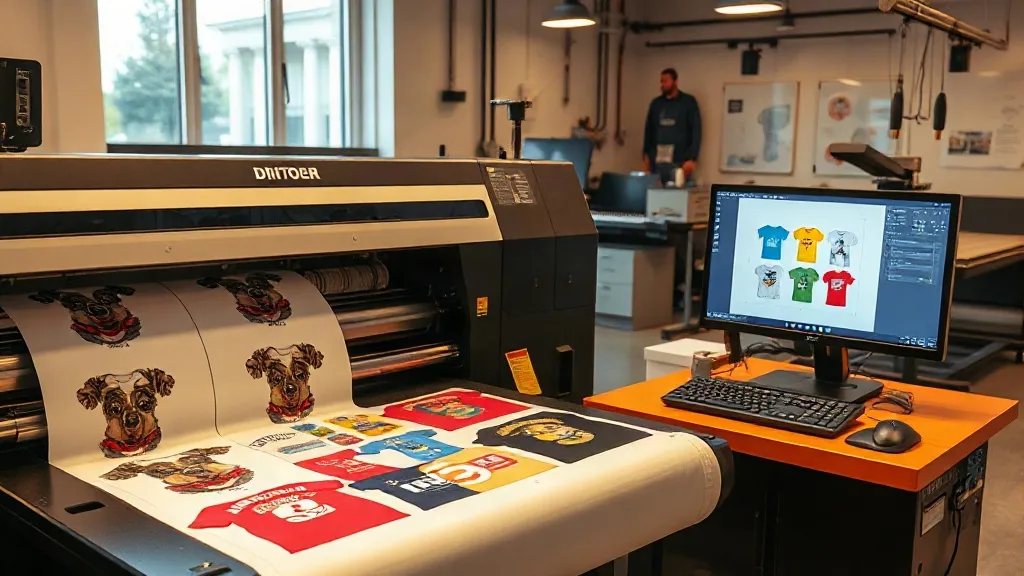
If you're in the custom apparel business, you know that efficiency and cost control are key to staying competitive. One tool that has revolutionized the way small and large print shops operate is the DTF Gangsheet. This innovative approach allows you to group multiple designs into a single transfer sheet, slashing material waste and labor time. In this article, we'll explore what gangsheets are, why they matter, and how you can leverage them to grow your business.
What Is a DTF Gangsheet?
A DTF (Direct-to-Film) gangsheet is essentially a large sheet of transfer film that contains multiple printed designs arranged efficiently. Instead of printing each design individually, you consolidate them onto one sheet, maximizing the use of space and reducing film waste. This method is particularly beneficial for print-on-demand businesses, team orders, and anyone who needs to produce varied designs in small quantities.
How Gangsheets Differ from Single Transfers
Traditional DTF transfers are printed one design at a time, which can be time-consuming and costly, especially for small runs. Gangsheets, on the other hand, allow you to fill the entire sheet with different designs, optimizing the printing area. This means you can print a mix of sizes and patterns without wasting film or increasing production time.
Why Use DTF Gangsheets?
The benefits of gangsheets go beyond just saving film. Here are some compelling reasons to incorporate them into your workflow:
- Cost Efficiency: By maximizing the use of each sheet, you reduce the cost per transfer. This is especially important for small businesses that need to keep overhead low.
- Time Savings: Printing multiple designs in one pass speeds up the production process, allowing you to fulfill orders faster.
- Versatility: You can combine different designs, sizes, and even colors on a single sheet, making it easy to handle complex orders.
- Consistency: Since all designs are printed under the same conditions, you get consistent quality across the entire sheet.
How to Create a DTF Gangsheet
Creating a gangsheet involves a few key steps, from design preparation to printing and transfer. Here's a step-by-step guide to help you get started.
Step 1: Design Preparation
First, gather all the designs you want to include. Use graphic design software to arrange them on a canvas that matches the dimensions of your DTF film. Make sure to leave a small gap between designs to avoid bleeding. Also, consider the orientation and size of each design to minimize wasted space.
Step 2: Printing the Gangsheet
Load the DTF film into your printer and send the gangsheet file. Ensure that your printer is calibrated for DTF printing and that the film is loaded correctly. The printer will lay down the ink and adhesive powder in one continuous process.
Step 3: Curing and Transfer
After printing, the sheet goes through a curing process to melt the adhesive powder. Once cured, the gangsheet is ready for transfer. You can cut out individual designs and apply them to garments using a heat press. The transfer process is the same as with single DTF transfers.
Best Practices for DTF Gangsheets
To get the most out of your gangsheets, follow these best practices:
- Plan Your Layout: Use nesting software or manually arrange designs to fill gaps and reduce waste. Rotate designs if necessary to fit more onto the sheet.
- Mind the Margins: Leave at least 0.25 inches between designs to prevent ink bleeding and ensure clean cuts.
- Test Your Printer: Before printing a full gangsheet, do a test print to check for color accuracy and adhesion.
- Store Properly: Keep printed gangsheets in a cool, dry place to prevent the adhesive from losing its tackiness.
Common Mistakes to Avoid
Even experienced printers can make mistakes with gangsheets. Here are some pitfalls to watch out for:
- Overcrowding: Packing designs too closely can lead to bleeding and difficulty in cutting. Always maintain adequate spacing.
- Ignoring Film Orientation: Some DTF films have a specific side for printing. Printing on the wrong side will ruin the sheet.
- Skipping Curing: Inadequate curing can cause the adhesive to fail during transfer, leading to poor washability.
Frequently Asked Questions
What sizes of DTF gangsheets are available?
DTF gangsheets come in various sizes, typically matching the width of your printer. Common widths are 13 inches, 17 inches, and 24 inches. The length can be customized based on your needs, often up to several feet.
Can I mix different fabric types on one gangsheet?
Yes, DTF transfers adhere well to a wide range of fabrics, including cotton, polyester, and blends. However, always test on a small sample first to ensure compatibility.
How do I price gangsheet transfers for my customers?
Pricing depends on the size and complexity of the designs. A common approach is to charge per design based on its area, with discounts for larger quantities. Calculate your cost per sheet and add your desired profit margin.
Do I need a special printer for DTF gangsheets?
You need a DTF printer that supports the film width you plan to use. Many modified inkjet printers are available for DTF printing, but ensure they are equipped with DTF ink and have a reliable powder shaker.
How long can I store a printed gangsheet before use?
When stored in a cool, dry place away from direct sunlight, printed gangsheets can last for several months. However, for best results, use them within a few weeks.
By mastering DTF gangsheets, you can significantly enhance your production efficiency and offer competitive pricing to your customers. Start experimenting with layouts and see the difference it makes in your workflow.